Wortree
iOS reading companion, live on the App Store. Share a Kindle screenshot or photograph a paper page and an explanation streams in over the book, built on a memory of the pages you have already read.
Screens
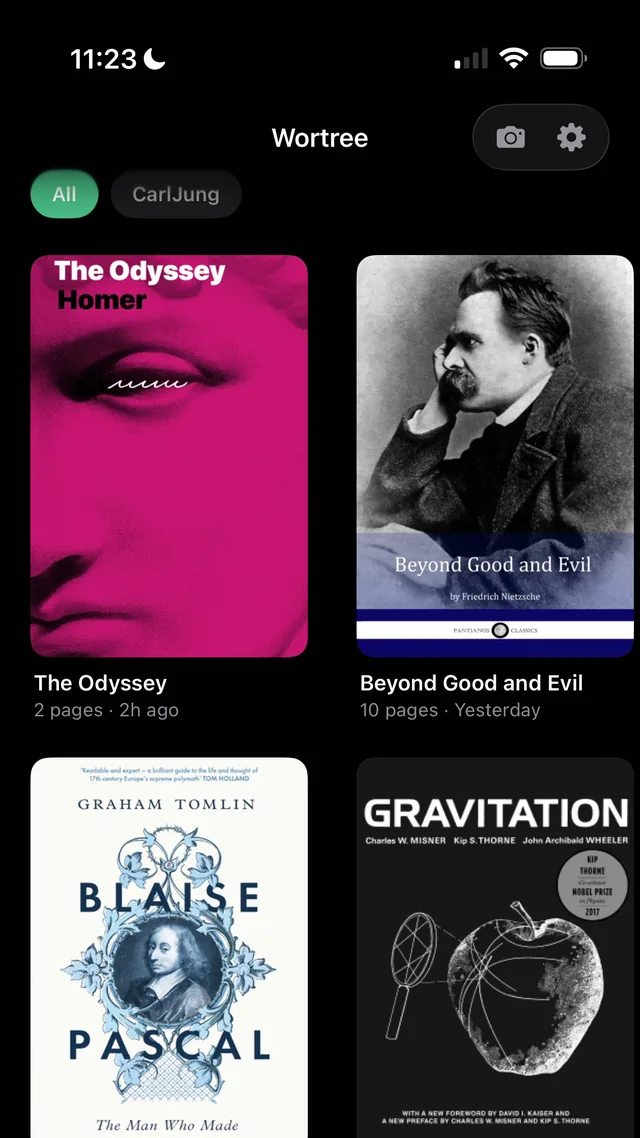
LibraryPages file themselves under the book they belong to. 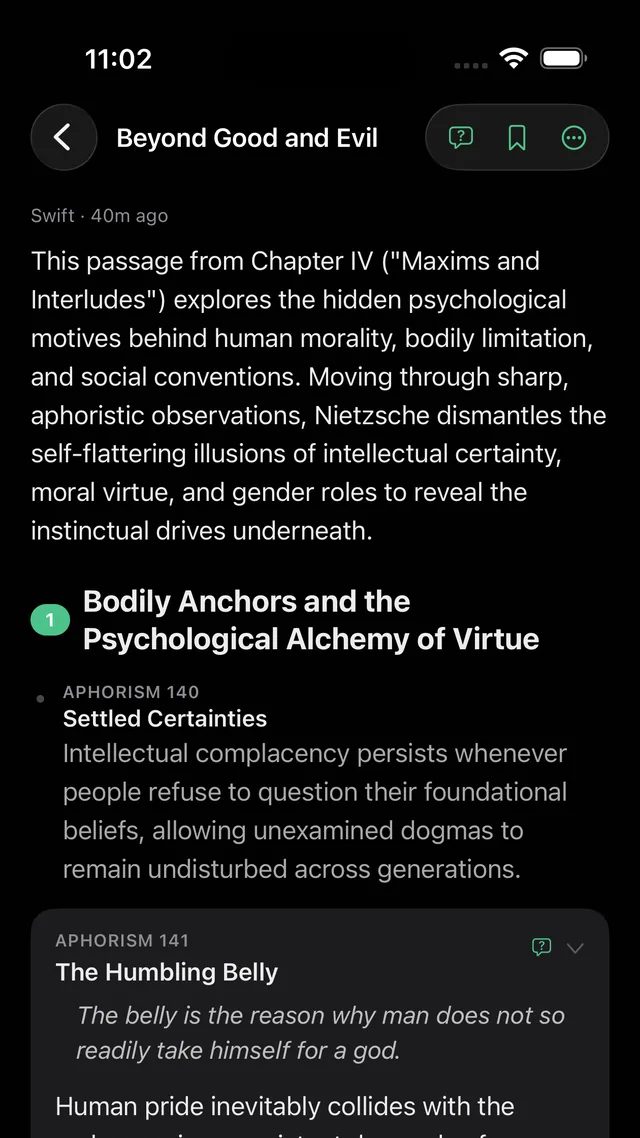
ReaderThe page explained point by point, each with the quote it came from. 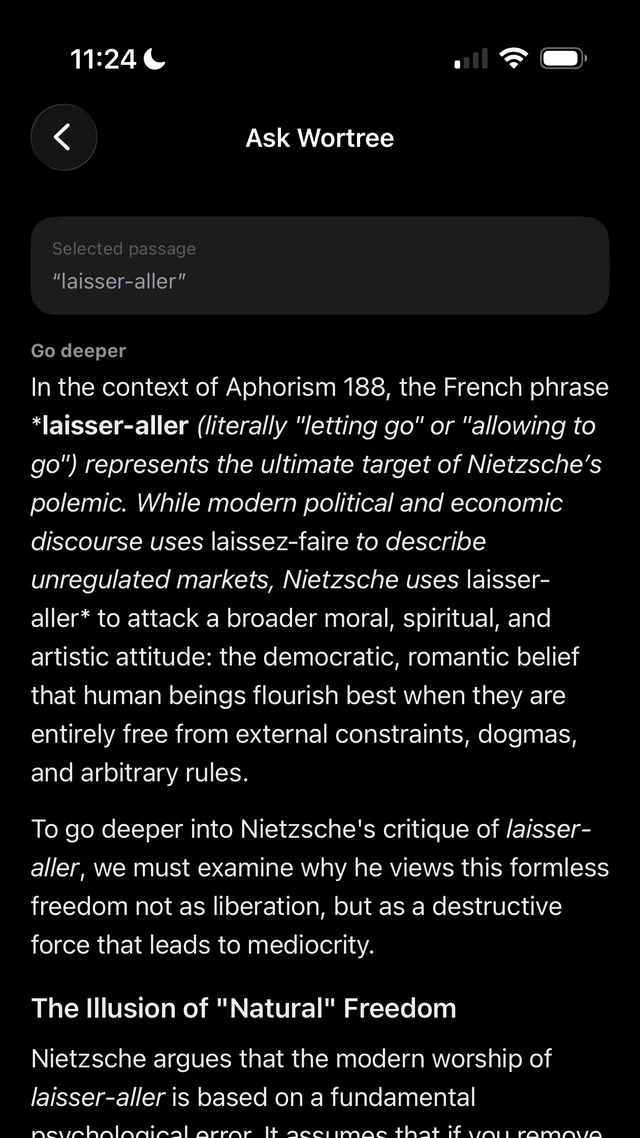
AskSelect a passage and ask about it, inside the book's context. 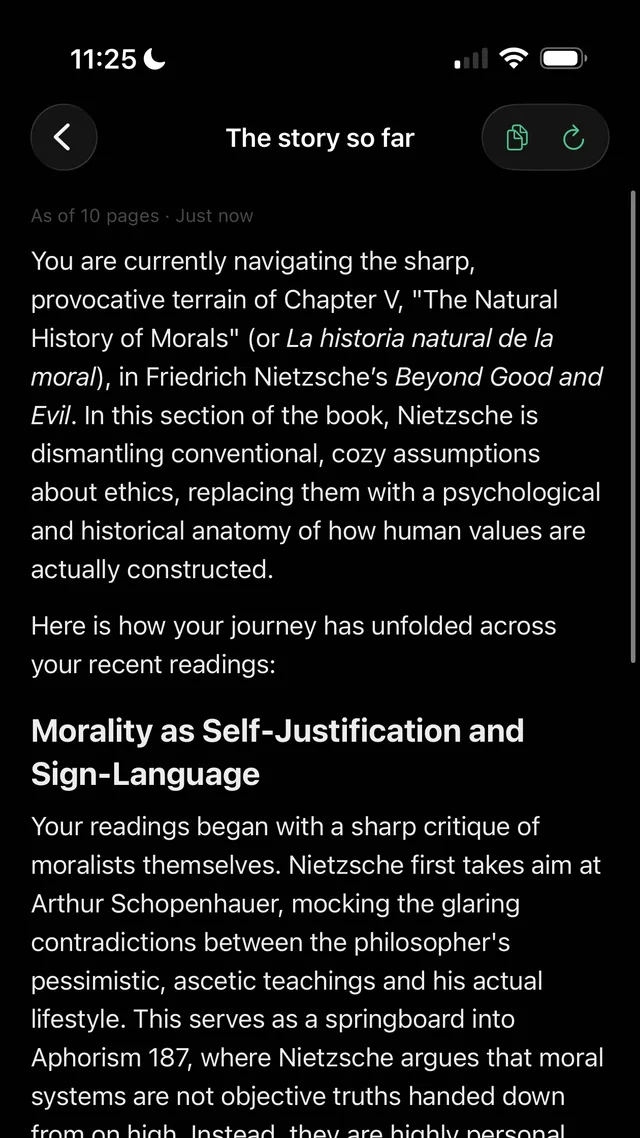
The story so farOne tap rebuilds the thread of the whole book.
Case study
Personal product, live on the App Store since July 2026. Sole author, 216 commits, more than 250 server tests.
The problem
A dense book loses you one page at a time, and looking something up means leaving the book, which is where the thread gets lost. The goal was an explanation that appears on top of the page you are on, remembers what you have read so far, and never tells you what comes next.
How it works
Dashed boxes are external services.
Key decisions
The explanation opens over the book
The app is built around an iOS share extension: you share the screenshot and a panel streams the answer on top of Kindle, so you never leave the page. The extension is a separate sandboxed process, so it reads the reader's session and book settings from a keychain group it shares with the app.
One reply does three jobs
The same streamed reply carries a hidden line that names the book and another that distils the page into a memory note. Pages file themselves under the right book and the memory grows without extra model calls. A reply that is cut off mid-stream is reported as an error and never filed as a card.
Memory that reaches back without spoilers
Each page's note is stored per book, and the four most relevant ones are recalled into the next prompt, so page 90 can pick up an idea planted on page 12. The context comes only from pages the reader has captured, and a page detected as belonging to another book never writes into this one's notes.
The first word in under two seconds
At the model's default reasoning level the first word took about 12 s. A local benchmark that runs the same prompt file the app ships showed the lowest level starting in about 1.7 s, so that became the default and depth became a per-book setting. When the provider's model alias moved to a version that rejects that level, every route failed at once; the server now retries one level up on that exact error and remembers it per model.
Prompt changes start from stored pages
Before redesigning the reader, 71 stored pages were measured. All of them parsed into clean structure, but 5 opened mid-word and 4 of 307 quotes ended on a hyphen-broken word. Both turned out to be prompt defects and were fixed there, and the reader now lays each card out as separate points with the quote they came from.
Results
- 38 days
- from the first commit to live on the App Store, with sign-in, sync and subscriptions in placeMeasured
- 1.7 s
- to the first word of an explanation at the default depth, against about 12 s at the model's default reasoning levelMeasured
- 0.8 s
- to start a story-so-far recap over 30 page notes, matching the quality of the setting that took 7.8 sMeasured
- 71 of 71
- stored pages parsed into clean point-by-point structure before the structured reader shippedMeasured
Architecture
Expo and React Native app with a native share extension that opens over the reading app, plus a camera scan for paper books that runs the same pipeline. A Hono API on Vercel streams the explanation over server-sent events from Gemini or an OpenRouter model, and the same reply carries hidden lines that name the book and distil the page into a memory note, so pages file themselves under the right book. Notes are stored in Mem0 and the most relevant ones are recalled into later prompts. PostgreSQL holds the synced library, daily quotas and subscription entitlements, with Better Auth sign-in (Apple, Google or guest) and RevenueCat for the Pro plan. A small Swift module renders each card in a selectable text view so the iOS Look Up and Translate menu works.
Highlights
- Live on the App Store since July 2026
- Explanation over the book, no app switching
- Per-book memory built only from pages already read
- Ask about a passage, or get the story so far
- English and Spanish, free plan and subscription
- Sole author, 216 commits